Sending Us Sensitive Material
On this page
To send personal data, leaked material, or sensitive collaboration files to a community member, upload them to the community's self-hosted Send and pass the share link to the recipient. The file is encrypted in your browser before upload, the link expires after one download or 7 days, and downloading it also takes a password agreed on separately. What the server keeps, and for how long, is set out in Data handling on send.anoni.net.
Upload steps
- Go to Send, one of the services the community self-hosts.
- Select the file you want to upload.
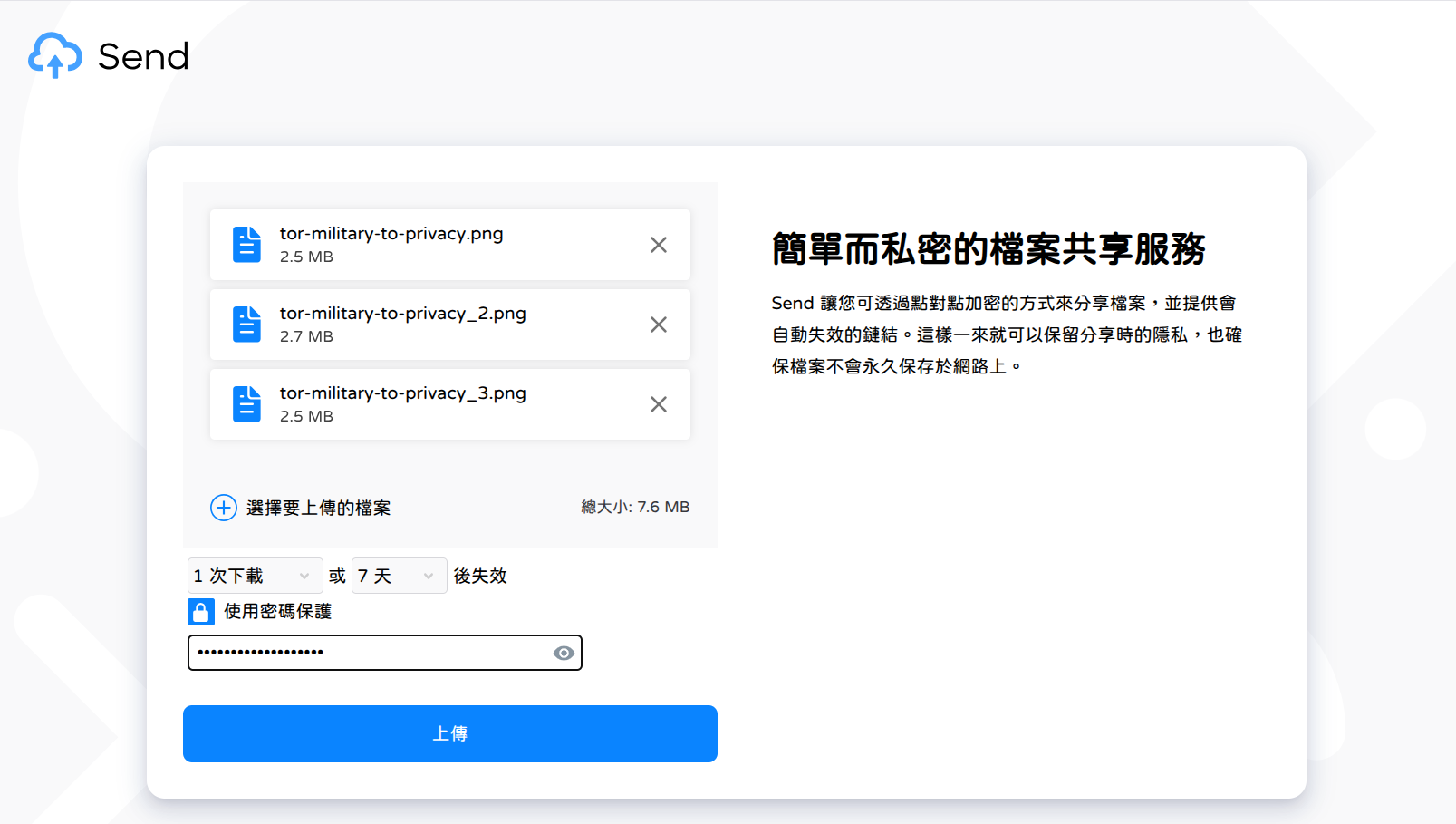
- Set the expiry options to one download and 7 days, whichever comes first.
- Tick Protect with password and enter a password you have agreed on separately with the recipient.
- Confirm the settings and click Upload.
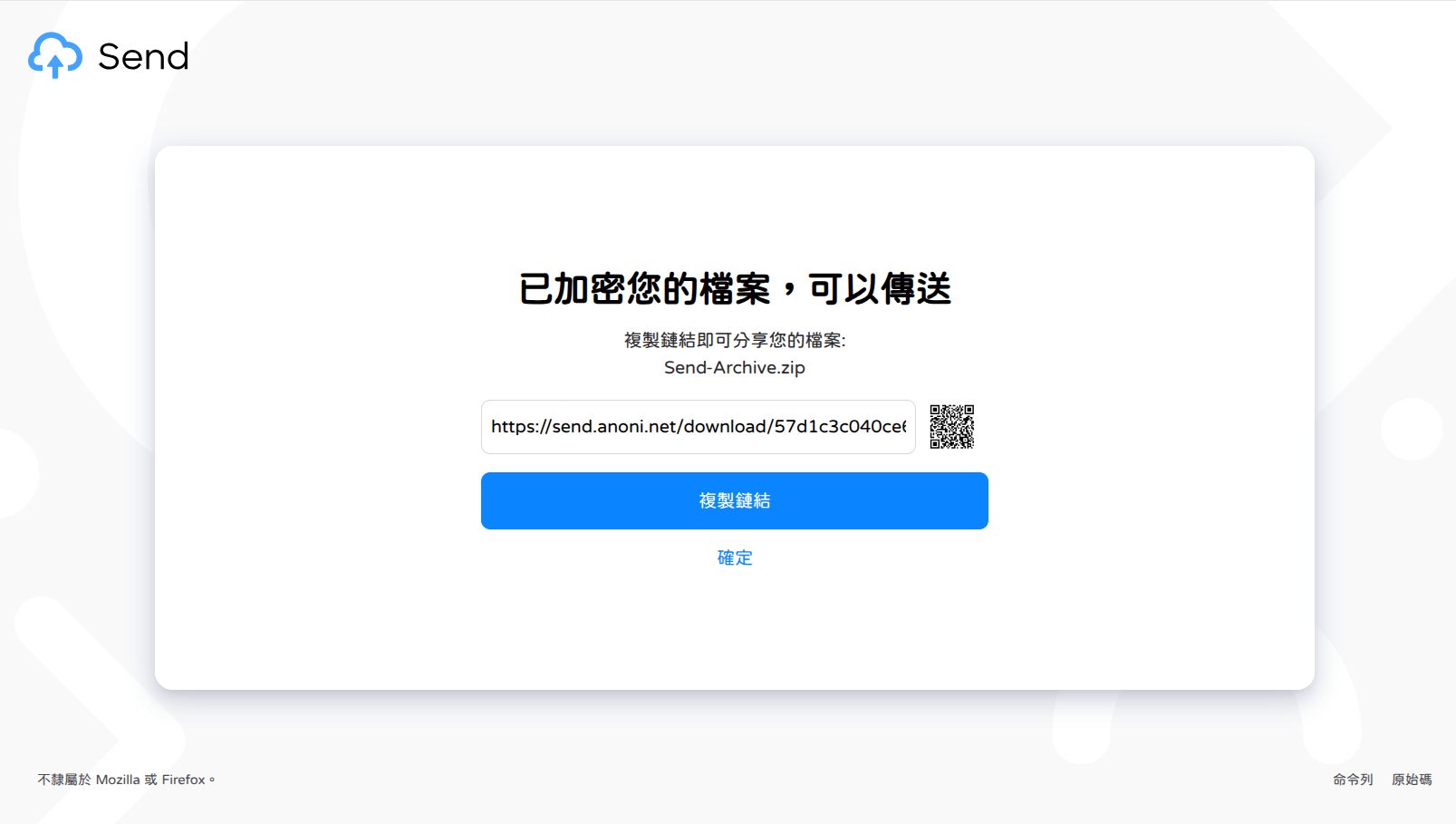
The upload produces a share link. Copy it and send it to the recipient.
Send the link and the password separately
The share link carries the decryption key, so anyone who obtains it needs only the password to download the file. Agree on the password through a different channel from the one carrying the link, for example the link by email and the password in person or over Signal, so that a leak in one channel is not enough.
Send is an open source, self-hosted file sharing application. Files are shared under end-to-end encryption and the share links expire on their own, so the file does not stay permanently on the web or inside a mail service.
Walkthrough
Go to Send.
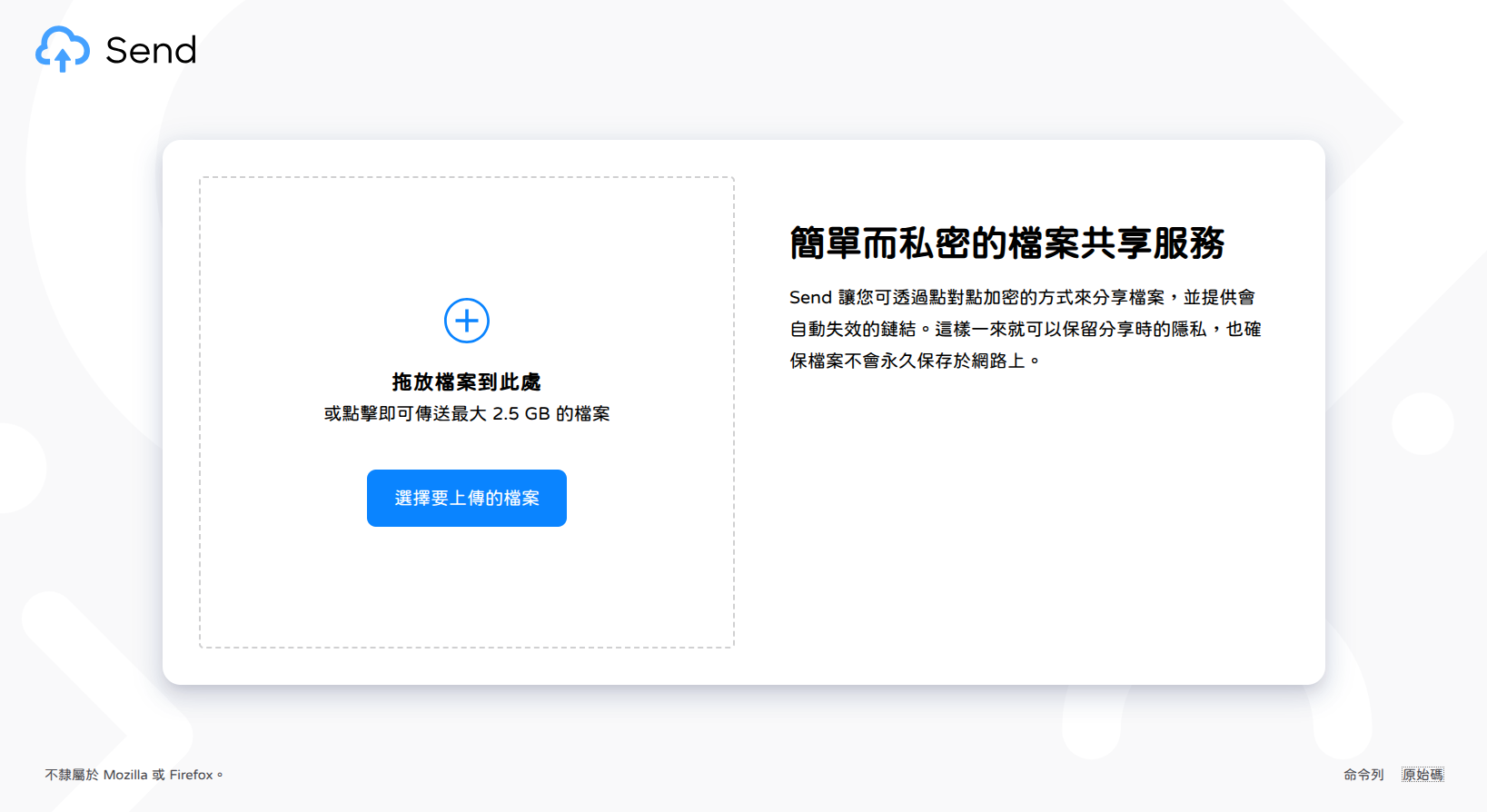
Select the file, set the expiry options, and submit.
Copy the link and send it to the recipient.
Cases outside Send's scope
Send runs on infrastructure the community operates. The file contents are encrypted in your browser before upload, but you are still trusting us with the fact that a transfer happened. For most collaboration material that trade-off is acceptable. Two cases call for something else:
- Anonymity from the recipient or from us: use OnionShare over Tor instead. It serves the file directly from your own machine through an onion service, so no third party holds the file at any point.
- Risk if the transfer itself were discovered: raise it in Matrix first without the details, so we can agree on a channel before anything moves. The Matrix entry points are on the Services page.
Related pages
- Services covers the rest of our self-hosted infrastructure, including how to request a Matrix or CryptPad account.
- The Governance Charter sets out how the community handles sensitive information and disputes.