Global Gathering 2026
On this page
anoni.net is a volunteer community of open-source technologists based in Taiwan. We write teaching material on anonymity networks and internet freedom, build browser-side and measurement tools, and run our own infrastructure.
From 4 to 6 September 2026 we were at Global Gathering in Estoril, Portugal, for all three days, with a booth on the afternoon of Sunday 6 September. This page started as a short guide for people at the venue and is kept as a record of the event: the booth slot, what was on the table, and how people could reach us during the event.
Booth 6, Sunday 6 September
- Time:
13:00to15:00WEST - On the table: twelve browser-side tools that work with the network switched off, three 3D interactives about Tor, and our anonymous payments research
- Printed zine: four A4 sheets in a wrapper, 150 copies, no digital edition
- Visiting: no appointment needed during the booth slot, and on the other two days people could stop any of us in the venue
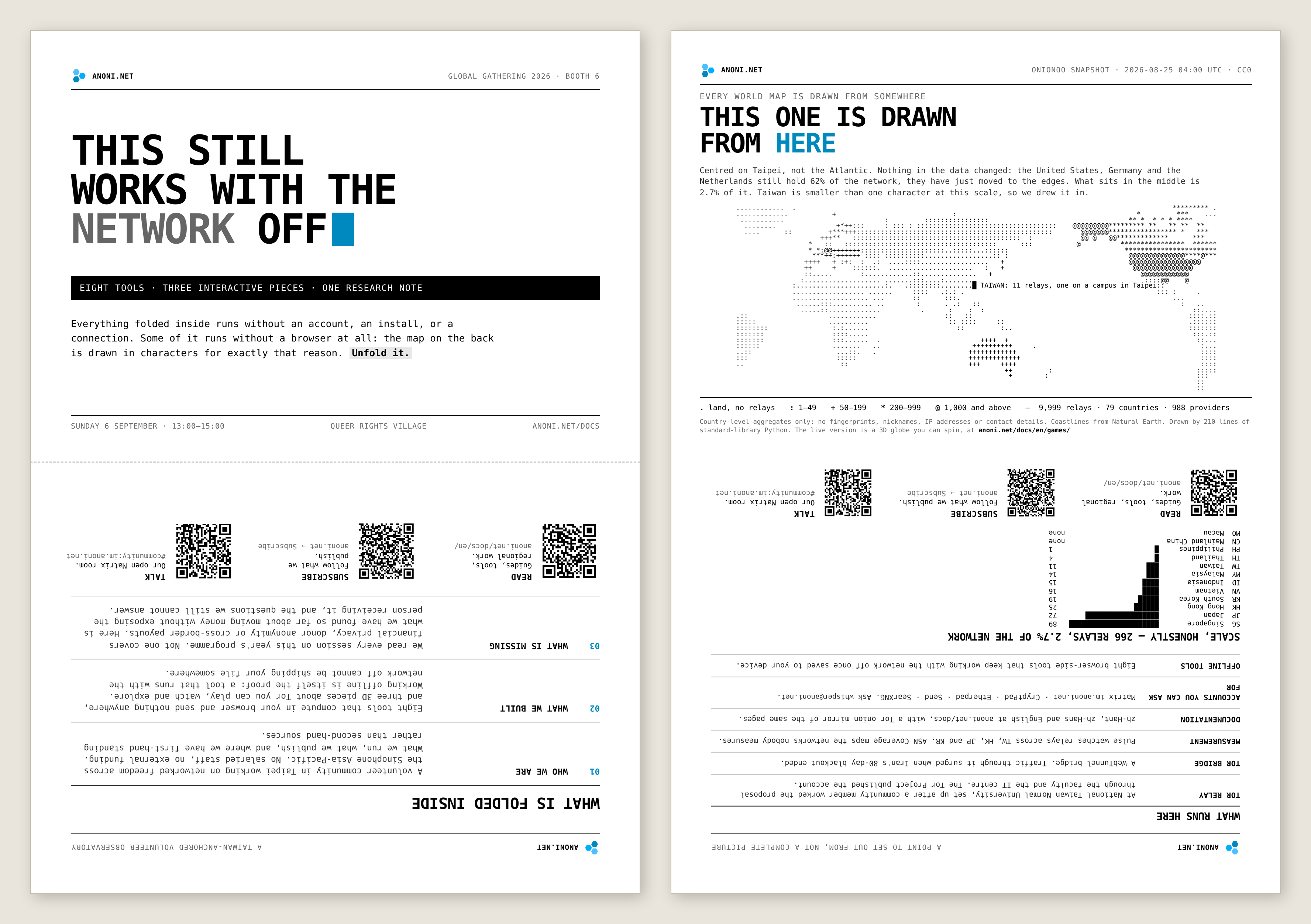
The zine on the booth table was four A4 sheets folded in half inside a wrapper, A5 when folded. Both faces of the wrapper are covers, so either one can face out. The design write-up is in We print this zine only for events and hand it out at Global Gathering.
Cofacts, another team from Taiwan, had Booth 10 in the same slot.
Offline browser tools
Everything in the docs site's Utilities runs in your browser. Nothing is uploaded, and once a page is stored on your device it works with the network off.
A tool that still runs with the network off cannot be sending your file anywhere, so offline capability doubles as proof, and you do not have to take our word for it. On a laptop, switching Wi-Fi off is enough. On a phone, use airplane mode, because turning Wi-Fi off still leaves mobile data on. The check takes ten seconds and needs no ability to read code, although the source is in anoni-net/docs for anyone who wants it.
| Tool | What it does |
|---|---|
| Threat model checklist | Turns "what to protect, from whom, at what cost" into a checklist and points out the mismatches in your own answers |
| Passphrase and password generator | Diceware passphrases from a 7776-word list, or random passwords from a character set you pick, with the entropy shown |
| Local file encryption | Encrypts a file or a block of text to the age format in the browser, and decrypts age files back. Standard output, readable by the age command-line tool anywhere |
| Passkey as your key | Creates a passkey that computes the encryption key for local file encryption, so there is no passphrase to remember |
| QR code generator | Turns onion addresses, bridge1 lines and other long strings into a QR code for the person in front of you, with no server in between |
| QR code reader | Reads a QR code out of an image without the image leaving your device, and isolates the host when the result is a URL |
| QR code frame stream | Moves a file between two devices over screen and camera, with no pairing, no shared network and no server |
| File metadata stripper | Strips EXIF2, GPS, device model and author fields from photos, video, audio, Office documents and PDFs, listing what went and what stayed |
| Screenshot redaction | Fills names, avatars and conversations with solid black, then verifies pixel by pixel before handing the file back |
| URL cleaner | Removes tracking parameters and names who each one reports to, unwraps redirect links and isolates the real registrable domain |
| Invisible character detector | Finds zero-width characters, direction controls, tag characters and lookalike letters used for leak tracing, phishing and prompt injection |
| What your browser gives away | Lists what any site can read without asking, and marks what Tor Browser makes uniform |
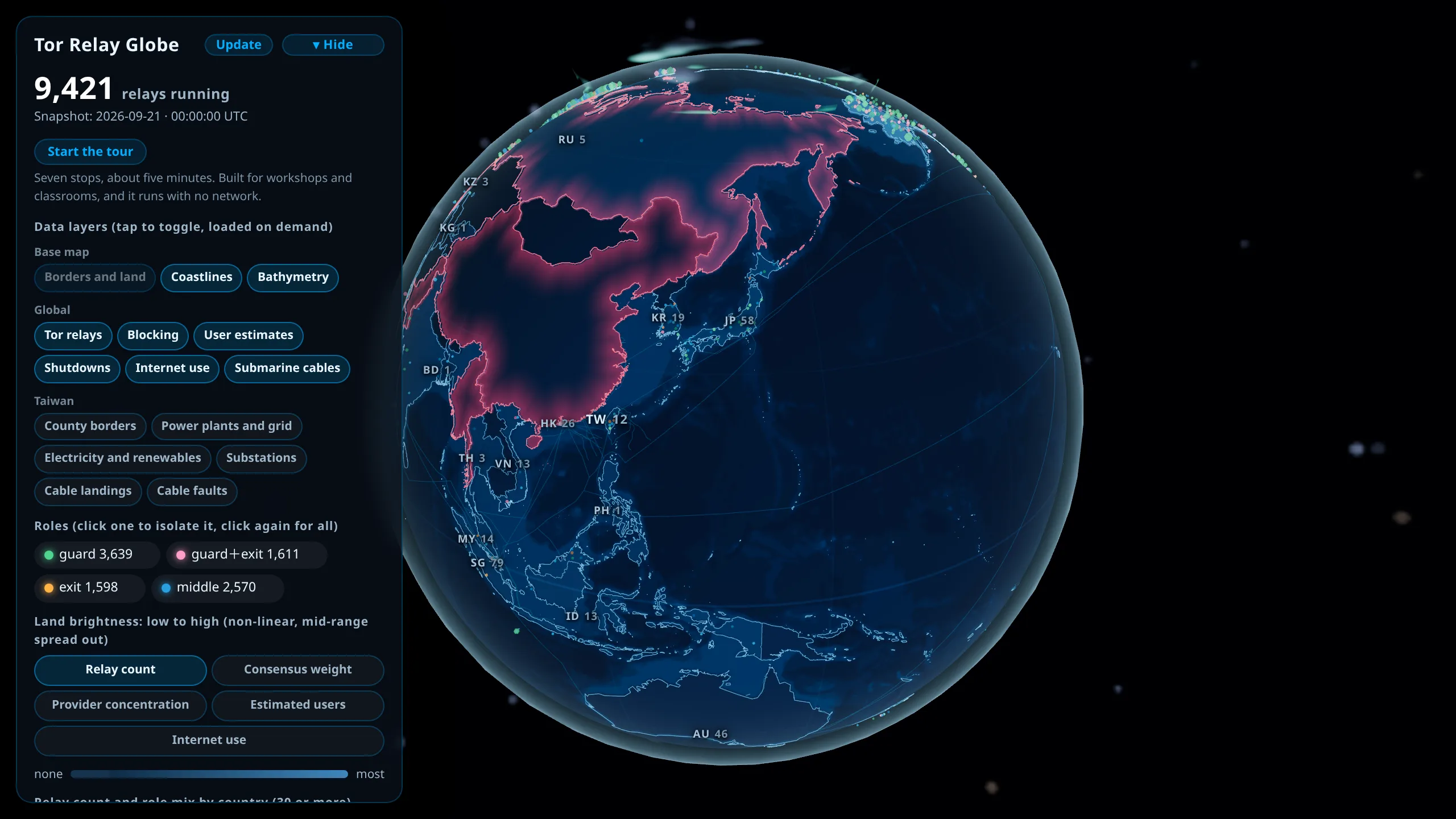
The booth also showed three 3D interactives about how Tor works: the Tor Routing Puzzle, Tor Traffic Flow, and the Tor Relay Globe, built from real Onionoo3 data.
Offline reading
Conference Wi-Fi is a poor moment to find out that a tool still needs downloading, and so is a shutdown. The Offline reading page stores the pages you tick on your device, tools included, and afterwards they open with the network off.
If you want just the tools, tick the utilities section. If you have the bandwidth, take the lot.
Passkey-derived encryption keys
A passkey usually logs you in. The docs site uses it differently, with no login, no account and no server anywhere in the flow, only to compute an encryption key.
WebAuthn's PRF extension4 lets a passkey hold a secret that never leaves the authenticator. The page sends an input, you approve with a fingerprint, face or PIN, and 32 bytes come back. Same passkey and same input, same 32 bytes, every time. Local file encryption wraps the age file key with that output, so without the passkey the file is ciphertext and nothing else. The protection comes from arithmetic, whereas a "show it once verified" gate written into a web page can be bypassed by anyone.
The site stores nothing and cannot, since browsers give a page no way to check whether a domain has a passkey, so we do not even know whether you made one.
Background is in What is a passkey?, and the tool itself is Passkey as your key.
Open questions and known limits at the time
Updated September 2026: the encrypted stash is now live, holding My preparation checklist, saved threat model answers and the address book. Mechanism and limits are in What is a passkey?. What follows is how it stood at the booth.
The next step at the time was an encrypted scratch area on the page itself, opened by the same passkey, for the kind of checklist you fill in on a laptop that other people can pick up. The experiment then put the data key in the credential's user.id5 field instead of using PRF. Apple hands PRF material only to the iCloud Keychain, so an iPhone paired with a third-party password manager can create a passkey and still be unable to compute a key. user.id is a core field every provider returns. The cost is that the key then lives in the vault next to the credential, and the security ceiling drops to the security of that vault. We took that trade deliberately, because coverage on the devices people actually own matters more to us here than the ceiling.
The known limits:
- The passkey is bound to the
anoni.netRP ID6, so mirrors and the onion address cannot use it. - Tor Browser disables WebAuthn entirely, so this path is closed there.
- Firefox on Android and Windows 10 do not support PRF.
- Lose the passkey and the data is gone, which is why the flow adds an X25519 backup key by default.
We also wanted to talk about the passkey design at the booth, especially with people supporting others in a region or a threat model where it falls apart, so that we would hear it before the design settled.
Topics at the booth
Anonymous payments was the main topic, because the Global Gathering program, which we had read item by item, had no session on money. Donor anonymity, cross-border disbursement, sanctions and currency controls are daily work for a lot of organizations, yet none of them appeared in a session title.

The anonymous payments work is still at the research stage. We are collecting real situations: who needs anonymity in a payment flow, where current practice breaks, and which rules make it break. The write-up so far is in the Anonymous Payments Track. At the booth we especially wanted to meet operators who have moved money across borders to high-risk or sanctioned regions, organizations that have handled donor anonymity, and projects that a bank has blocked or that exchange controls have shut out.
Other subjects were just as welcome. We start out from Taiwan, and we want to meet more people working across the Asia-Pacific. Sinophone (Chinese-speaking) users are spread across Taiwan, Hong Kong, Mainland China, Japan and Southeast Asia. The situations they run into are connected, and the chances to compare notes are rare.
Most of us come from open-source and technology communities, and the day-to-day work is running services, writing teaching material, building browser-side tools and reading OONI measurement data. We want to put that to use for people doing frontline work, whether that means looking together at which adversaries a tool actually covers, breaking a procedure down into steps you can verify yourself, or reading a measurement dataset side by side. We are volunteers, so what we can offer is a second opinion on the parts we know well, and we say so when a question falls outside that. During the event, people who needed that kind of technical support could raise it at the booth or leave a message in the Matrix room.
Contact during the event
- Matrix room:
#gg2026:im.anoni.net, the most reliable channel during the event. Any Matrix account works, including a freshmatrix.orgone, and no phone number changes hands. Times in the room are WEST unless marked otherwise. - In the venue: our badges said anoni.net.
- Networking Hour:
12:00to13:00WEST each day, where we usually turned up. Schedule changes were posted in the Matrix room. - Anonymous tips: [email protected], with the GPG key on Stay informed. We checked it every few hours during the event.
Why we went, which sessions overlapped with our work, and which booths we planned to visit are in the pre-event post, The Anonymity Networks Community Is Going to Global Gathering 2026.
-
A bridge is a Tor entry point that is not on the public list. Censors block entry addresses by scanning that list, and an unlisted bridge cannot be blocked that way, though getting through a heavily censored network usually also needs the traffic disguised. ↩
-
EXIF is a block of information that photo files carry automatically, recording the time, the device model and, if location is on, the coordinates. Video and audio files carry the equivalent details in metadata blocks of their own. None of it shows on screen, so the file looks like an ordinary one. ↩
-
Onionoo is the Tor Project's data service for relay status, listing the machines that carry Tor traffic worldwide, which country each sits in and how much bandwidth it handles. The globe is drawn from it. OONI is a separate project, which measures whether a given site is reachable from a given place (see What Is OONI?). ↩
-
WebAuthn is the authentication mechanism built into browsers, and PRF is one of its extensions. Your phone or computer holds a secret you never see, and when the page hands it an input and you approve with a fingerprint, face or PIN, it returns 32 bytes. The same input always gives the same 32 bytes and a different input gives different ones, which is what keeps separate files apart. The authenticator is whatever holds that secret and can compute with it, usually the secure chip in your phone, and not every password manager can. ↩
-
user.idis the field the passkey specification calls the user handle, normally holding an account identifier. We put the encryption key there instead, because the specification requires a passkey to return that field, while PRF is unavailable in some combinations. ↩ -
The RP ID is the domain a passkey is scoped to, and it covers that domain's subdomains. A mirror sits on another domain and the onion address is a different domain again, so neither counts as the same RP ID to the browser. ↩