Skip to content

Community

Docs site update review, September 2026

Docs site update review

The previous release went out on 2 September. Between then and the 20th, the docs site merged 140 pull requests. The Lab went live, the utilities grew from 9 tools to 15, nine worked examples string those tools into paths you can follow end to end, a settings drawer collects controls that used to be scattered, and the surveillance page gained a fifth tier. On the content side, three regional pages went up, one of them taking forty-nine public sources to pull apart identity binding and the data market beside it. The last two sections are for readers who acted on the old guidance.
The docs site and its tools, available offline

When the network drops, the page you most need is often the one that will not open. On a flight, in the mountains, or in a new country before you have found a SIM, that is an inconvenience. Where the network is cut, throttled or blocked, the same situation costs far more.

From 4 to 6 September we were at Global Gathering 2026 in Estoril, Portugal. Alongside our booth on the last day we joined the Circles, where we talked about how the privacy material on the docs site is written and layered. The conversation kept returning to one premise: the moment a reader needs these pages is not reliably a moment with a working connection.

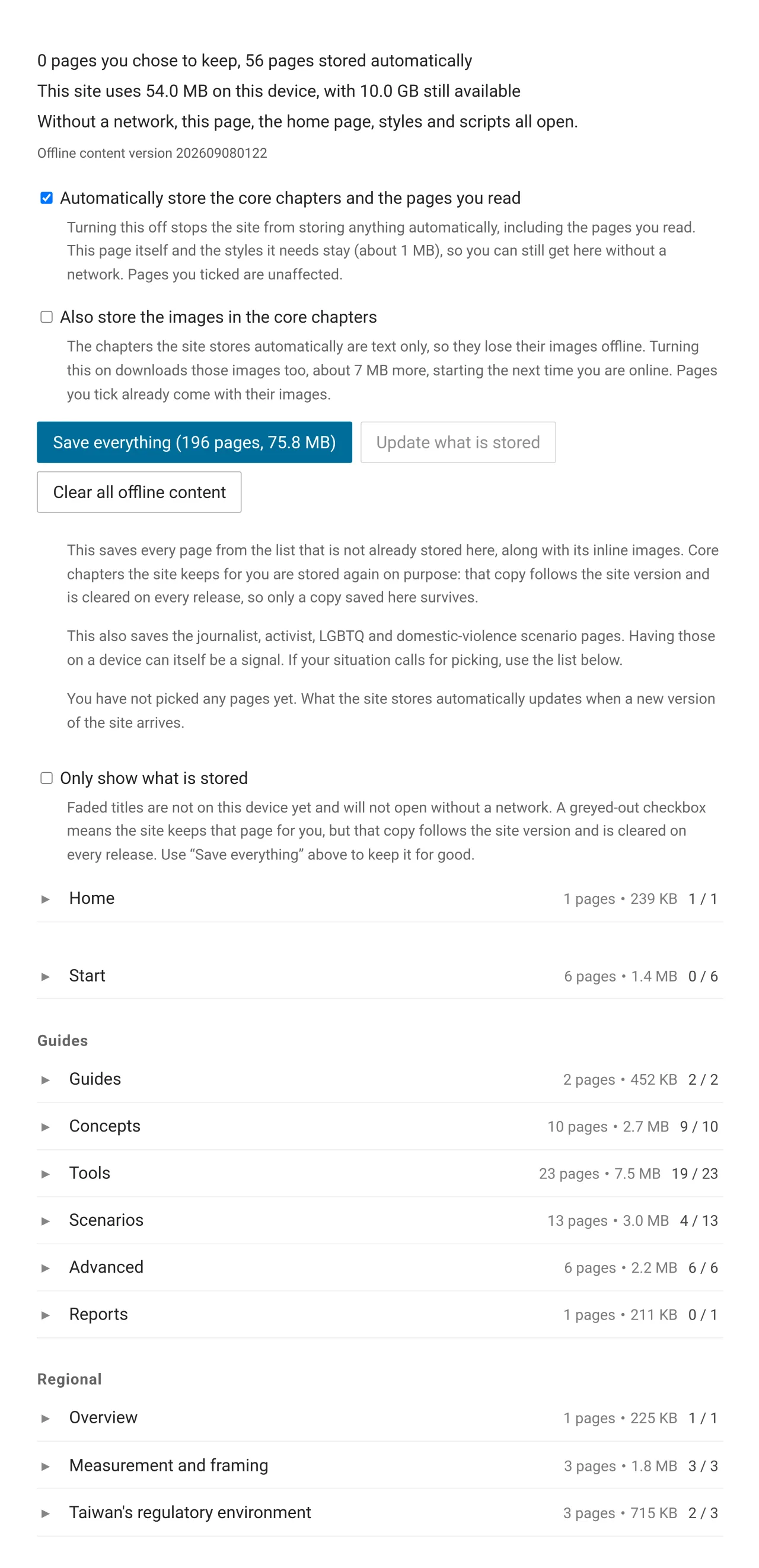
The top of the offline reading page: storage totals, the automatic-storage and inline-image switches, and the Save everything, Update what is stored and Clear all offline content buttons

Eight new tools on the docs site, all running in the reader's own browser

We are a group of volunteers working on anonymity networks and internet freedom, based in Taiwan. We maintain this documentation site, a practical guide to privacy and anonymity sorted by scenario for everyday life, sensitive work and high risk.

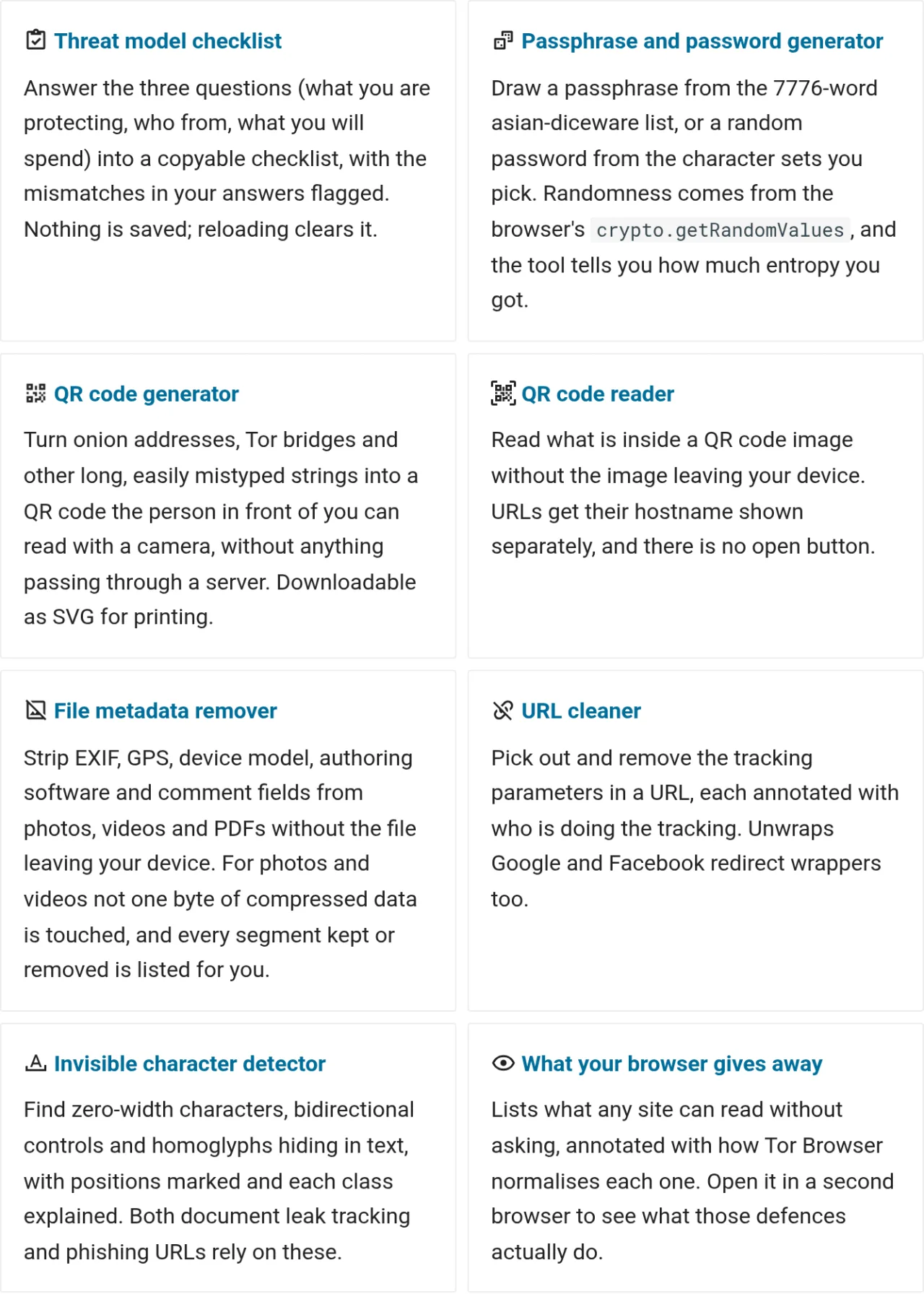
The articles on this site explain how to protect yourself. The tools section holds the things you can actually press. All eight compute in the reader's browser, send nothing anywhere, and keep working with the network off once stored on a device.

The tools index, eight cards each naming a tool and what it is for

Retracting what we published, and what changed on the docs site in the past two weeks

What changed on the docs site

Several pages changed over the past two weeks, and in most cases the change was to withdraw a passage rather than extend it. Hong Kong moved from medium to high risk for device inspection, the exemption for eSIMs bought outside Japan came out, a 2FA app we recommended turned out to have changed owners, and a blocking distribution drawn from 40 samples was recomputed over all 22,105. The site merged 50 pull requests between 27 July and 10 August, and a sizeable share of them went into corrections of this kind. What follows is page by page: what changed, what the evidence was, and a checklist in the middle for anyone who already prepared using the old guidance.

Brief yourself before you travel — take the right questions to your own AI

Illustration: an AI assistant on the left gathers scattered data cards (Wi-Fi, location pin, lock, SIM, QR) and sorts them along dotted lines into a shield-framed pre-departure briefing panel on the right, with an airplane and a flight-path arc above

Before a trip you check visas, plug types, and currency. Few people check how the internet is controlled where they are going, whether their work is legal there, or who to call if something goes wrong. For journalists, human-rights defenders, NGO staff, and researchers, those are the questions that actually affect their safety, and the hard part is that you usually don't know what to ask before you leave.