OnionShare, anonymous transfer over Tor
OnionShare is an open source tool that starts a temporary Tor onion service on your own computer, letting you send files, receive files, host a site, or chat with someone anonymously. Nothing goes to the cloud, no account is created, and the traffic runs through Tor's layered encryption. Close the window and the onion service disappears with it.
Why use it
- No third-party platform to trust: Files go from your computer to the other person's Tor Browser. No Google Drive, no Dropbox, and no anoni.net in between
- No account, no identifier: What the other person receives is a
.onionaddress. They do not learn who you are or what your IP address is, and you do not learn who they are - The session is disposable: Closing OnionShare takes the onion service offline and the address stops working. No backend logs, no metadata landing anywhere
- Cross-platform: GUI on macOS, Windows, Linux, and Tails, plus a command-line version for running a long-lived intake box on a server
Before you start
- Your IP address is not exposed to the other party: Traffic goes through Tor and they see only the
.onionaddress - The session leaves nothing behind: Closing the window takes the service down, and the Tor network keeps no record that the onion existed
- You have to deliver the address through a secure channel: OnionShare does not distribute it for you. Sending the address over an insecure messaging app, which in this region usually means LINE or WeChat, makes that hop non-anonymous. Signal, CryptPad, or saying it in person are the usual approaches
- The other person needs Tor Browser: If they cannot or will not use Tor, OnionShare is the wrong tool. Use send.anoni.net or PGP-encrypted email instead
- A long-running intake box needs dedicated hardware: Leaving it on your main computer 24/7 makes that machine an attack surface. A Tails USB or a dedicated Linux box is better
- It uses your own bandwidth: A large download consumes your upload capacity, and speed is bounded by current Tor network conditions
Four modes
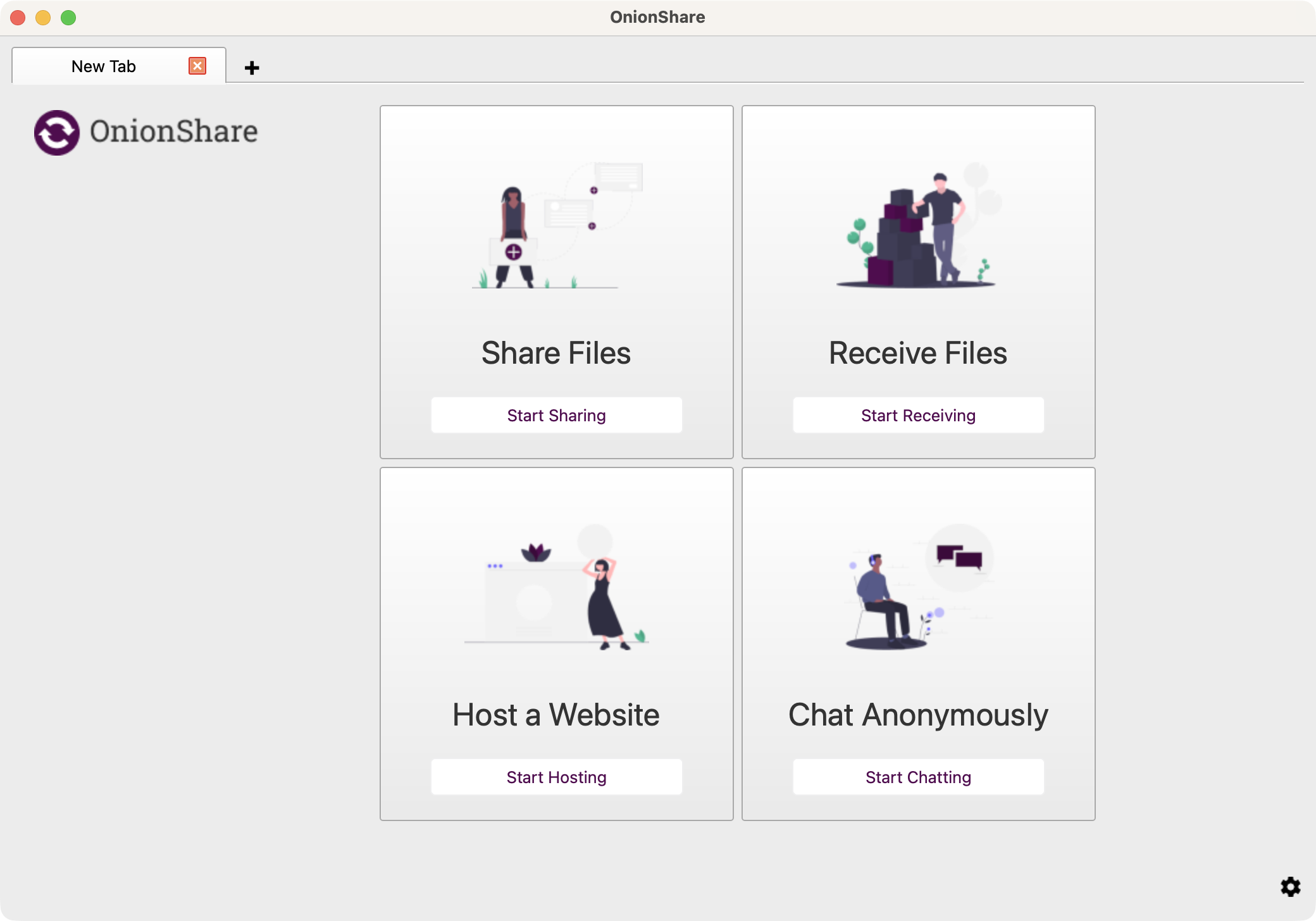
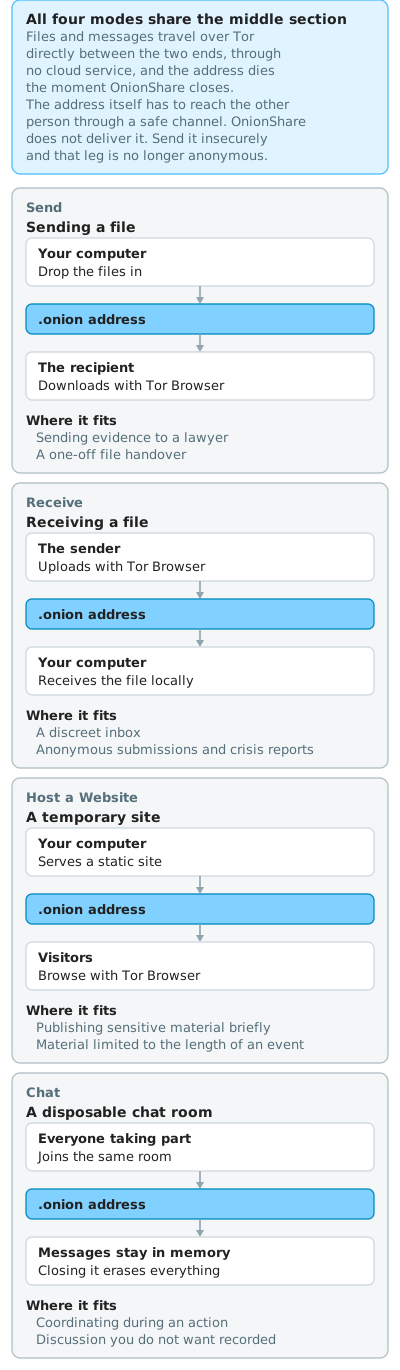
The screenshot above shows what the four tabs look like. This one shows where the data goes. The difference between the modes is direction: Send flows from you outward, Receive flows toward you, Host a Website flows from you to many, and Chat runs both ways. The middle step is the same in all four, with files travelling directly between the two ends over Tor and no cloud service in between.
Share Files
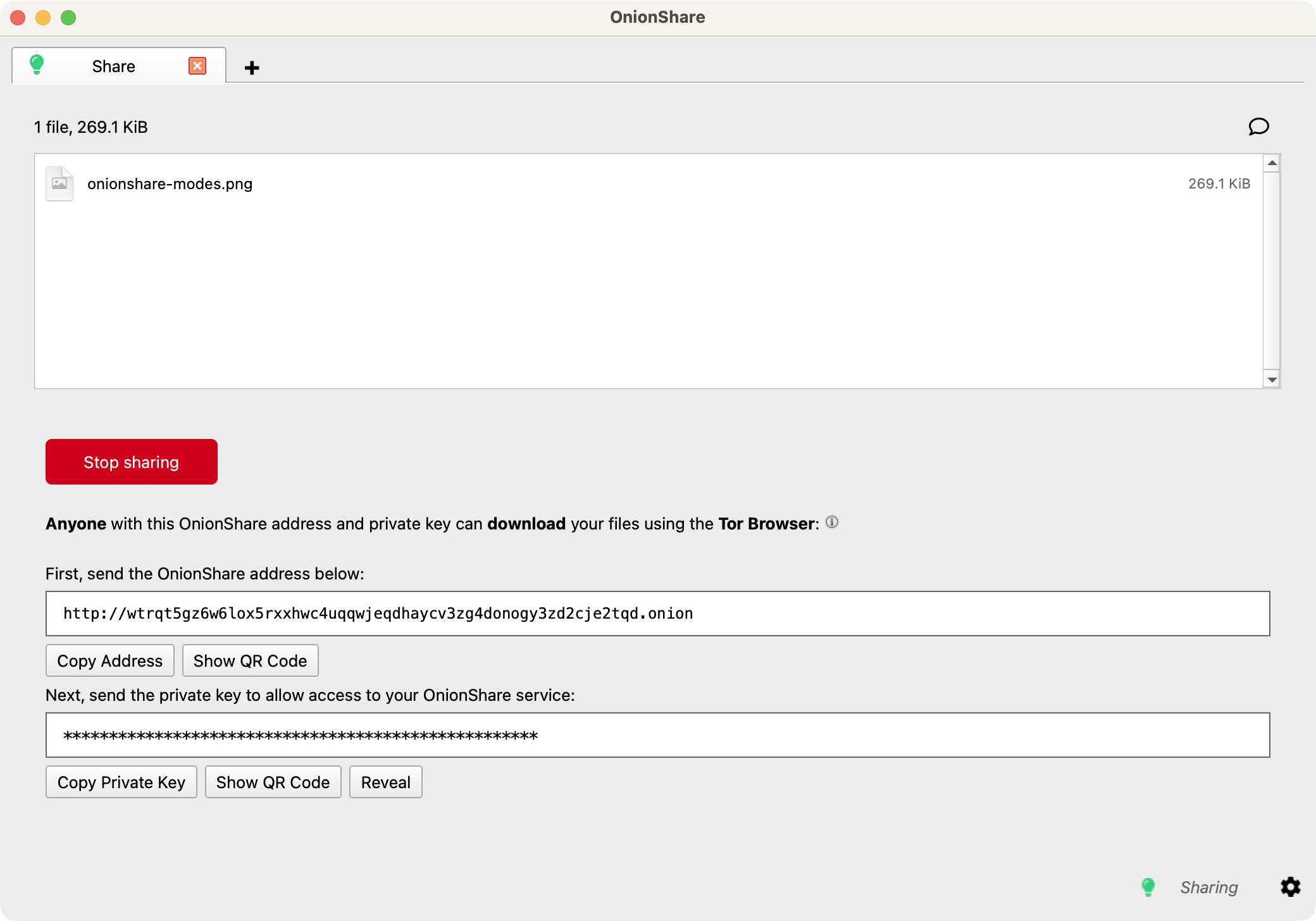
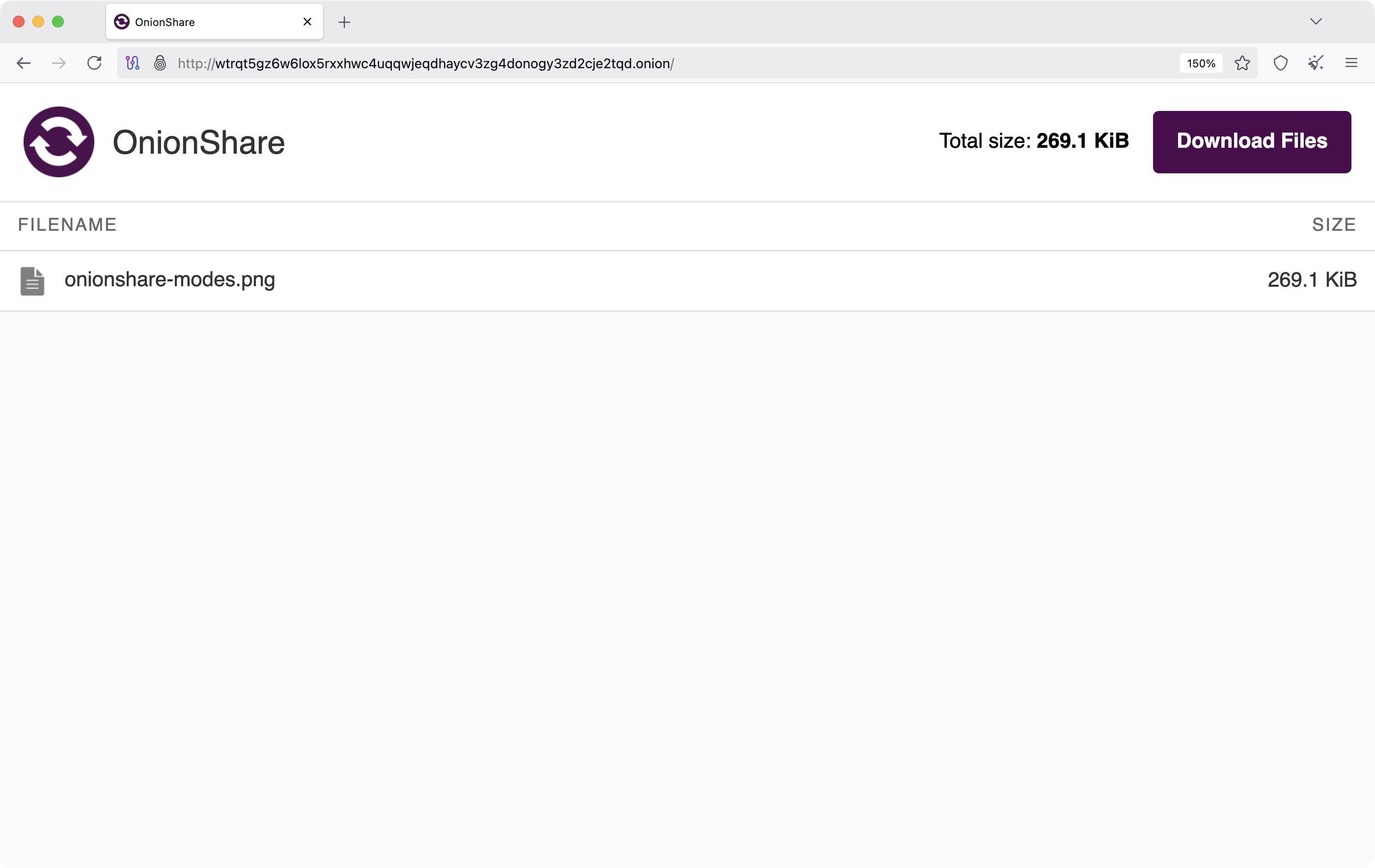
Drop files into OnionShare, which produces a .onion address. Deliver the address through a secure channel, and the recipient opens it in Tor Browser and downloads.
- Fits: sending evidence to a lawyer, interview material to an editor, records distributed after an action, a one-off file to legal counsel
- Limits: the recipient needs Tor Browser, and you close OnionShare when the transfer is done, or set it to stop automatically after the download
Receive Files and Messages
Open an upload interface at a .onion address. The sender opens it in Tor Browser, uploads, and the files arrive on your machine.
- Fits: a journalist's published intake box, an organization collecting anonymous submissions, a crisis reporting channel
- Limits: it needs to stay online, which is the case for dedicated hardware rather than your everyday computer. This is the self-hosted intake box referred to in protecting your sources as a journalist
Host a Website
Drop in HTML, CSS, and JavaScript, and OnionShare serves a static onion site.
- Fits: publishing sensitive material temporarily, event-limited resources, research drafts that cannot go on the clearnet, a preview for specific people
- Limits: static only, with no backend or database, and throughput bounded by your own connection
Chat
A multi-party encrypted chat room running in memory with no persistent record. When whoever started it closes it, the room is gone.
- Fits: coordination during an action, communication during a sensitive meeting, group discussion that should leave no transcript
- Limits: everyone needs Tor Browser, and no history is kept to look back at
Installing
- macOS, Windows, Linux desktop: the official GUI from onionshare.org
- Flatpak or Snap: more convenient packaging for Linux, under
org.onionshare.OnionShare - Tails: preinstalled, in the Applications menu. What is Tails covers how it fits the wider system
- CLI: for a long-lived intake box on a server, or integration into an automated workflow
Choosing between this and the alternatives
| Tool | Fits | How it differs from OnionShare |
|---|---|---|
| send.anoni.net | One-off encrypted transfer from an ordinary browser | Neither party needs Tor, so the barrier is low. Files pass through an anoni.net server (end-to-end encrypted, password-protectable, auto-expiring), which is a larger trust boundary than OnionShare |
| SecureDrop | An institutional intake system for news organizations | Requires professional deployment and ongoing operation, and is used by large international outlets including the New York Times, the Guardian, and the Washington Post. OnionShare's Receive mode is the lightweight version an individual journalist can run |
| Signal attachments | Transfer between parties who already trust each other | Signal is tied to a phone number, which the other party may not want to expose before first contact. OnionShare has no account and no identifier, which suits first contact |
The decision:
- The other party does not use Tor and the material is moderately sensitive: send.anoni.net
- An institution needs a long-term intake box with audit trails: SecureDrop
- You are already in a Signal conversation and just need to send a file: a Signal attachment
- First contact, the other party should not expose their identity, and no third party should be involved: OnionShare
Common questions
The other person has never used Tor. How do I guide them?
Send them the introductory section of Tor Browser advanced settings, have them install Tor Browser, then open your .onion address. If they will not install Tor, use send.anoni.net or PGP-encrypted email instead.
How do I confirm they got the right address and it was not substituted?
Along with the address, OnionShare produces a private key, which Tor calls client authentication. Deliver the address and the private key through two separate channels, for example the address over Signal and the key in person, so that compromising one channel is not enough. Passwords were removed in OnionShare 2.4 and replaced by this mechanism, so there is no password option to enable. A service can be made public, disabling the private key, through the "This is a public OnionShare service" checkbox or --public on the command line, which is the setting you do not want for sensitive material.
How large a file can Receive mode take?
There is no technical size limit. In practice three things bound it: your upload bandwidth, current Tor network speed, and how long you are willing to leave OnionShare running. Above 1 GB, splitting the transfer or using another channel is more reliable.
How does Chat mode differ from Signal or SimpleX?
Signal and SimpleX are long-term accounts on long-term devices, suited to ongoing communication. OnionShare Chat is a one-off room with no account and no history, which disappears entirely when the host closes it. Good for one-time coordination, not for daily messaging. See secure messaging compared.
Does it work on a phone?
There is an official Android app on Google Play and F-Droid, still in beta, and an iOS app that has been on the App Store since 2023. The most reliable mobile use is still as the receiving side, opening someone's .onion address in Tor Browser for Android or Onion Browser for iOS. For the sending side, a desktop or Tails is the safer choice.
Is OnionShare related to Tor bridges or Snowflake?
Not directly. Bridges and Snowflake are entry points helping other people reach the Tor network. OnionShare provides a service on the Tor network. They occupy different positions in the same ecosystem.
Next steps
For a first sensitive transfer, try one mode end to end (Share Files is the simplest) and get comfortable with the pattern: generate the .onion address, deliver it through a secure channel. To fit it into a complete workflow, protecting your sources as a journalist and sending us sensitive material are the next reads.