What Is Tails?
Tails (The Amnesic Incognito Live System) is an operating system that boots from a USB stick or external drive. It ships Tor, encrypted email, a password manager, and file metadata cleaning tools ready to use, and wipes memory at shutdown so nothing about the session survives.
The situations it fits: a journalist reporting on a sensitive subject who needs to protect a source, a researcher handling files from outside without contaminating their own machine, someone working in the field on an unfamiliar network, or anyone reviewing sensitive documents who does not want them landing on a laptop. In all of these, the accumulated traces on an everyday computer are the weak point. Tails moves the task into a temporary clean environment that you pull out and walk away from.
Tails is built on Debian Linux, developed by an independent non-profit, and has worked with the Tor Project for years. In February 2025 the community ran a pre-RightsCon workshop in Taipei with the Tails and Tor teams.
Three design decisions
The value is in the working environment three deliberate choices produce together. Understanding them tells you when Tails is worth using and when it achieves nothing.
It forgets
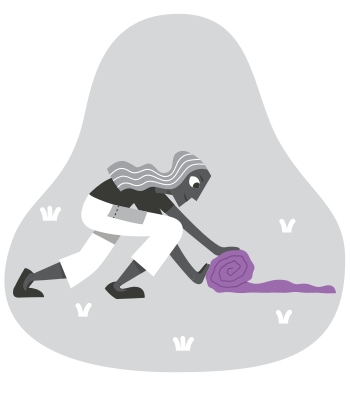
Tails runs entirely in memory and does not write to disk. At shutdown, memory is cleared: no usage record, no browsing history, no list of opened files, no temporary data. The next boot is a fresh environment.
An ordinary operating system leaves traces even in private browsing mode, even after deleting files: the Wi-Fi networks you joined, filesystem temporaries, browser cookies and cache, the clipboard, the USB devices you attached. Tails does not write in the first place, so the layer does not exist.
The exception is Persistent Storage, an encrypted area on the USB stick for keys, bookmarks, and documents. It is off by default, and you turn it on when you need it.
Everything goes through Tor
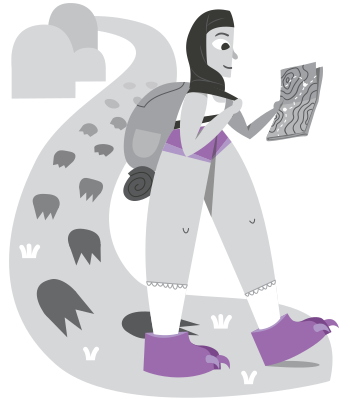
All network traffic in Tails goes through Tor. An application attempting to reach the network directly is blocked by the firewall and produces a warning. The difference from installing Tor Browser on an ordinary machine is substantial: in Tails, the sites you visit do not learn your real IP address, the mail you fetch does not reveal where you connected from, and the cloud drive you open does not know where you are.
In heavily censored environments, Tails supports configuring a Tor bridge at boot, hiding the fact of Tor use itself.
It boots from USB, separate from the host
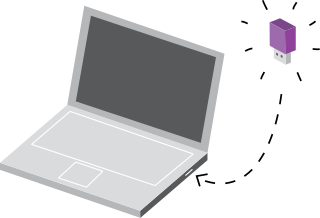
Tails runs from the USB stick, and the host's own drive is neither read nor written. Which means:
- Malware already on the host does not affect the Tails session, provided it has not reached the firmware layer, meaning the code that runs below the operating system and first at boot
- What you do inside the session does not stay on the host
- You can run a sensitive task on a computer you do not trust, such as an internet café machine or a partner's laptop, and once the USB is out, that machine has no record of what you did
The warning that belongs here: Tails cannot defend against firmware-level attacks (BIOS, Intel ME) or a hardware keylogger. At the highest threat levels, you need to control the hardware too.
What Tails is good for, and what it is not
Tails is built for specific situations and makes a poor everyday operating system. Align expectations against how to build a threat model first.
Good for:
- High-risk one-off or short-term tasks: reviewing sensitive material from outside, handling suspicious attachments, interview records on sensitive subjects
- Situations where you do not trust the computer in front of you: a partner's machine, a workstation at accommodation while travelling, a shared computer
- A clean working environment in the field: protests, election observation, cross-border reporting
- First contact and file exchange with journalists or whistleblowers, alongside OnionShare over Tor
- Trying a strong-privacy-by-default working environment without touching your everyday machine
Not good for:
- An everyday operating system. Every boot resets, meaning bookmarks, settings, and Wi-Fi all over again. Using Tails for continuous work is miserable, which follows directly from what it is designed to do
- Apple Silicon laptops (M1 through M4). Still unsupported, so using Tails on a Mac means finding an Intel-era machine
- Phones and tablets. Tails is x86-64 and does not run on ARM, including Raspberry Pi
- Work that needs persistent state: long-running projects, a continuous development environment, or heavy local applications
- Situations already compromised at the firmware or hardware level. Tails' guarantees start when the USB boots, and an intrusion below that is outside its reach
Compared with Whonix and Qubes
Tails, Whonix, and Qubes OS are the three anonymity operating systems people compare, and their trade-offs differ:
- Tails: boots from USB, used and discarded, forgets at shutdown. Suited to short tasks and untrusted hosts
- Whonix: two virtual machines, a gateway running Tor and a workstation, running inside your everyday operating system. Suited to needing a Tor environment long-term without changing machines
- Qubes OS: divides the whole computer into isolated virtual machines, with each group of applications in its own qube. Suited to the highest security requirements, for users willing to pay the learning cost
The full reasoning and who each suits is in Tails vs Whonix vs Qubes.
Installing
A Tails USB can be made from Windows, macOS, or Linux, with step-by-step instructions on the official install page. The download is around 1.9 GB. Once the USB is ready, most computers need F12 or Esc at power-on to reach the boot menu, or a BIOS change to the boot order. That is the step people get stuck on.
Hardware compatibility
Tails runs on most computers with Intel processors under about 10 years old.
Tails does not run on:
- Apple Silicon (M1 through M4)
- Phones and tablets
- Raspberry Pi, ARM, or 32-bit processors
Tails may not run on:
- Older computers with less than 2 GB of memory
- Machines whose graphics cards lack good Linux support, where Nvidia and AMD Radeon commonly cause problems
The current known issues list has more.
Recommended hardware
- A USB stick of at least 8 GB. Everything on it is erased during installation
- A device that can boot from USB
- A 64-bit x86-64 processor
- At least 3 GB of memory for smooth operation, below which it may be unstable
What comes preinstalled
- Tor Browser with uBlock Origin for browsing
- Thunderbird for encrypted email
- GNOME Secrets for password management, replacing KeePassXC as of Tails 7.6. See getting started with password managers
- LibreOffice for documents
- OnionShare for sending and receiving files, chatting, and hosting over temporary onion services
- Metadata Cleaner for stripping EXIF, document authorship, and other hidden information. Why that matters is in what metadata is
- The full list is on the Tails features page
The defaults that come with it: applications attempting to bypass Tor are blocked, Persistent Storage is encrypted automatically, and memory is cleared at shutdown.
Common questions
Can I install it on an M-series Mac?
Not currently. Tails is incompatible with Apple Silicon (M1 through M4), because the Linux boot mechanism Tails uses does not meet Apple's custom startup process. Running Tails on a Mac means an Intel-era model. Without one, either use another PC or switch to Whonix, which runs as virtual machines inside your existing operating system and has good cross-platform support.
How is this different from just using Tor Browser?
Tor Browser is one more application on your everyday computer. It routes your browsing through Tor while other applications (mail, cloud storage, your editor) still use the ordinary network and still leave traces on the host. Tails puts the entire session in a separate environment, where all traffic goes through Tor and every record disappears at shutdown. Protecting a single browsing session calls for Tor Browser. Protecting a whole workflow calls for Tails.
Is Persistent Storage safe?
Persistent Storage is an encrypted area on the USB stick, protected with LUKS full-disk encryption and unlocked with a passphrase. The design is solid, on two conditions: the passphrase has to be strong (generate one with a password manager), and the USB stick cannot leave your control while unlocked, since plugging it into another machine at that point defeats it. It is off by default.
Does automatic Wi-Fi connection reveal my location?
Tails randomizes the MAC address by default, so a Wi-Fi access point sees a different hardware identifier each boot. That helps against identifying where you are. What it cannot protect is connecting to a network already tied to your long-term identity, such as your home or office, where the fact that a Tails connection existed at that location remains. The most anonymous setup uses a network unconnected to you: a café, a library, a mobile hotspot.
Can I keep two USB sticks, one for work and one personal?
Yes, and it is common practice. One stick per working context, each with its own Persistent Storage and its own keys. The only rule is not to mix two sticks within a single boot.
How often does Tails update?
Roughly every four weeks2. Updating regularly matters, since each release carries security fixes for Debian, Tor, and the browser. The built-in updater prompts you when connected. Major version upgrades sometimes require downloading a fresh image and rebuilding the USB.
Next steps
Follow the Tails installation guide to build a USB stick. If you are a journalist, researcher, or field worker, protecting your sources as a journalist and sending us sensitive material design the surrounding workflow.
Related concepts
Where to go next
-
Tails release schedule, which follows Firefox releases at roughly four-week intervals. ↩