Getting Started with Password Managers
Reused passwords, simple passwords, and passwords on a sticky note are the most common way an attack succeeds. A password manager means remembering one master password while every other password can be long and random and synchronized across devices. This page covers the threat model, the trade-offs between four categories of tool, how TOTP two-factor fits, the role of passkeys and hardware keys, and backup strategy. Starting from how to build a threat model helps establish who you are defending against.
Why you need one
A decade of large-scale breaches has exposed the weakness of human-chosen passwords thoroughly. A modern attacker does not need to crack your password. They take an email-and-password database from one breach and try the same combinations elsewhere, which is credential stuffing. If ten services share one password, one breach takes all ten.
Simple passwords do not hold either. An ordinary computer tries tens of millions of common combinations per second, and a custom dictionary built from names, birthdays, and pet names collected through social engineering goes faster still. Add SIM swap attacks, where an attacker socially engineers your number onto their own SIM card and intercepts SMS codes, and a password with SMS two-factor falls over.
A browser's built-in password storage helps a little, with obvious limits: weak cross-device synchronization, full exposure if the device is stolen, readability by a malicious browser extension, and no recovery mechanism.
The core promise is this: you remember one hard master password, every service gets a different random long password, and an encrypted vault holds them. The master password unlocks the vault, which holds your passwords, TOTP seeds, and secure notes.
The master password
The master password is the single pivot for the whole system and deserves a few minutes of thought.
Use a passphrase, not a word
A passphrase is four to six randomly chosen words strung together (correct horse battery staple), with far more entropy than a short complex password and considerably easier to remember. Use a diceware list to pick the words randomly rather than choosing meaningful ones yourself. The community also produced an EFF-compatible list with Asian loanwords, Asian Diceware, with an A5 booklet and instructions for generating with dice or a secure random number generator.
Never reuse it
If this password is exposed, every account you have is exposed. No other service gets this password.
Do not store it on the computer
Memorize it, write it on paper, put it somewhere secure. A sealed copy with family or a lawyer is reasonable estate planning.
Four categories, and how to choose
KeePassXC and GNOME Secrets keep the vault offline
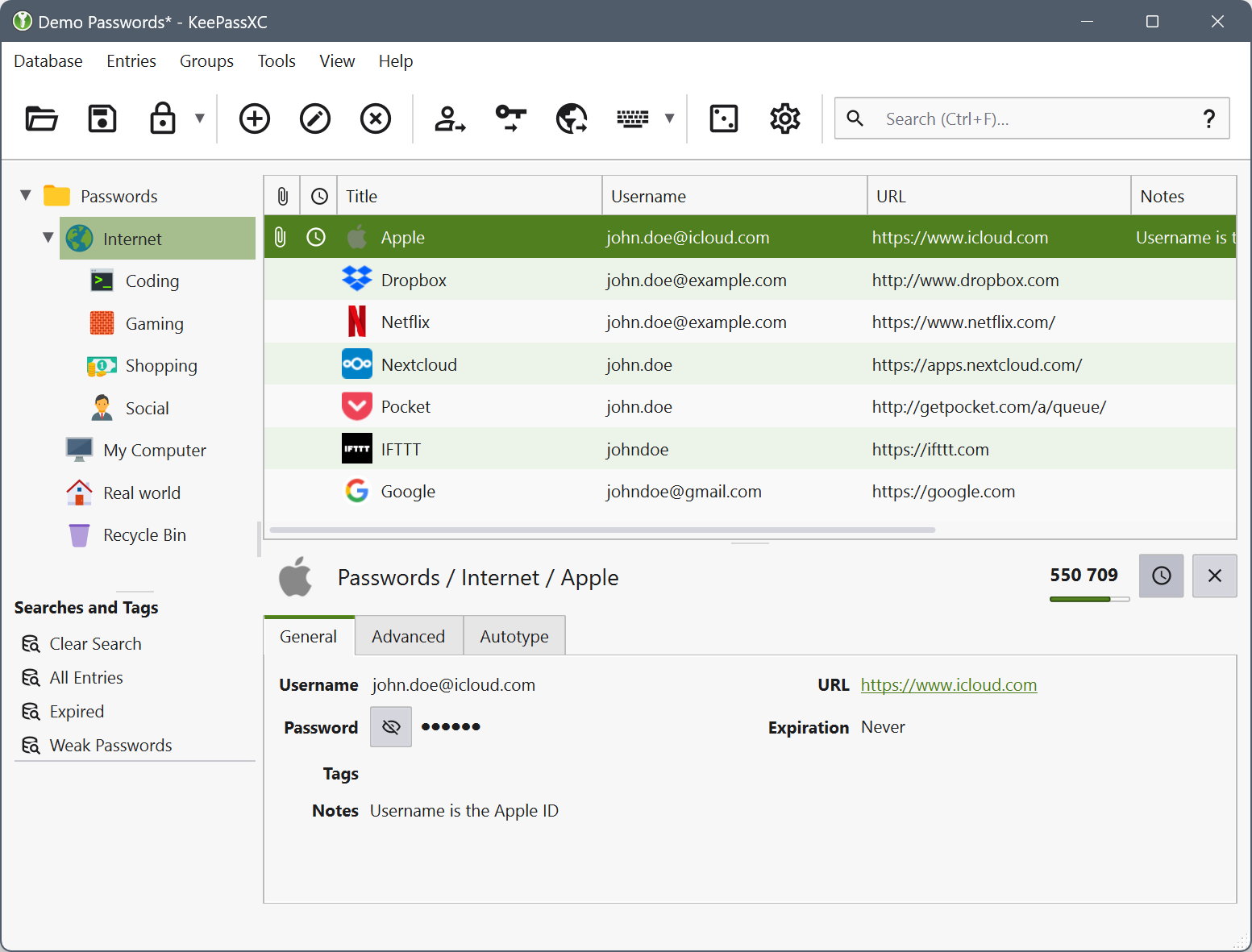
KeePassXC keeps the vault in a .kdbx file on your own machine, and cross-device synchronization is yours to arrange (Syncthing, self-hosted storage, an encrypted drive). Clients are available across platforms: KeePassXC on desktop, KeePassDX on Android, Strongbox on iOS.
Tails 7.6 onward ships GNOME Secrets in place of KeePassXC, using the same .kdbx format, so an existing vault opens directly.
.kdbx is an open format, and since 2017 a generation of clients has implemented it from scratch and can open the same vault: KeePassium and Strongbox natively on Apple platforms, and cross-platform AuthPass. Switching clients moves no data, because the vault format travels with you and no vendor holds it.
Suits: people who want to control storage themselves, Tails users, anyone avoiding dependence on a vendor's cloud.
Bitwarden syncs through the vendor's cloud
Bitwarden is an open source password manager where the vendor provides storage and synchronization, with end-to-end encryption implemented by the vendor. The free tier is complete (unlimited items, devices, and platforms), and Premium adds TOTP integration, advanced reports, and priority support at US$19.80 a year as of the January 2026 price change, with the current figure on their site.
Bitwarden has published third-party security audits and its source is open. If you do not trust the company itself, Vaultwarden, a community-written compatible backend, self-hosts with the same clients.
The trust assumptions: the vendor is not breached, and the end-to-end encryption is implemented correctly. Even after a breach, what an attacker holds is an encrypted vault they still have to crack. The 2022 LastPass incident showed the limit of that reassurance, since vault metadata including site URLs was not encrypted, which is enough to plan targeted phishing.
Suits: people across several devices and platforms who accept vendor dependence.
1Password sells the integrated experience
1Password is a paid service at roughly US$48 a year for an individual as of the March 2026 price change, with the most complete user experience and extra features. Watchtower actively monitors whether your passwords appear in breach databases, which are weak, and which services support two-factor you have not enabled. Family and team plans are mature, and sharing a subset of items with several people is straightforward.
1Password is closed source with published third-party audits, and uses a Secret Key design: alongside the master password, a long random string that exists only on your devices, so an attacker with the master password alone cannot open the vault.
Suits: people willing to pay for user experience and monitoring, families and teams sharing items, anyone who wants the least friction.
Apple Passwords and iCloud Keychain ship with the system
Since iOS 18 and macOS Sequoia, Apple's password features are a separate Passwords app, synchronizing across Apple devices, supporting passkeys and TOTP, and integrated with system autofill.
The limits: cross-platform use on Android and Windows is weak, through iCloud for Windows or the web interface only, which makes it a poor fit for multi-platform users. Synchronization is bound to your Apple ID, so the threat model has to account for a compromised Apple ID meaning compromised passwords.
Suits: people entirely within Apple's ecosystem who would rather not install anything else.
How TOTP fits
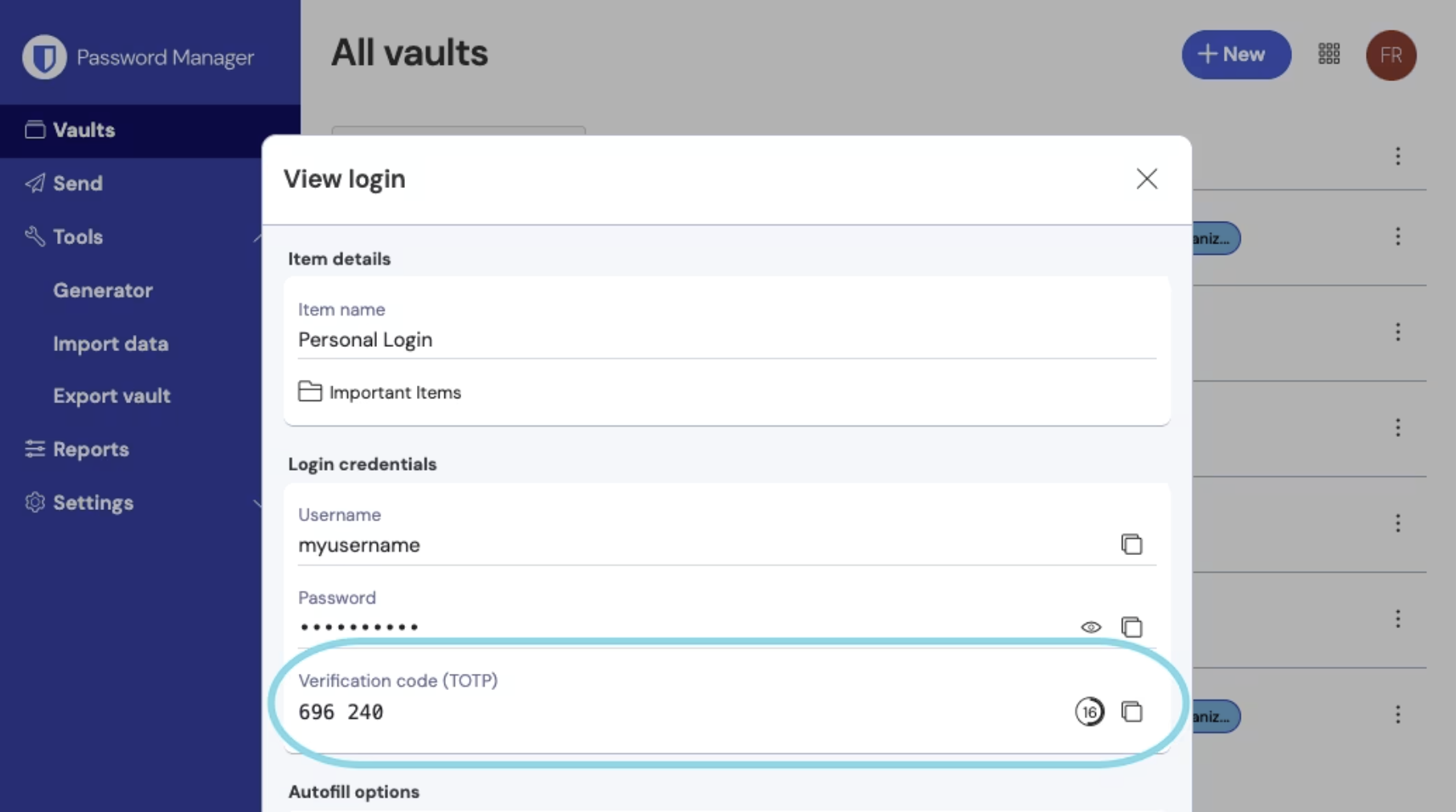
Two-factor authentication adds a time-limited code on top of the password. TOTP (time-based one-time password) is the common form, rotating every 30 seconds.
Two schools on where to keep it:
- In the same vault: supported by KeePassXC, Bitwarden Premium, and 1Password. Convenient, with synchronization handled. The cost is that exposing the master password exposes the TOTP seeds too, collapsing two factors into one
- In a separate app: Aegis on Android, Raivo on iOS, or cross-platform Ente Auth. One more layer of separation
The community's suggestion: separate app for high-sensitivity accounts (email, banking, cloud services), same vault elsewhere for convenience.
Keep TOTP recovery codes somewhere other than the vault. Storing them together means losing the vault loses both.
Passkeys
Passkeys are passwordless login built on the FIDO2 and WebAuthn standards, widely supported by 2026 across Google, Apple, Microsoft, GitHub, and PayPal.
Mechanically: your device generates a key pair, the public key goes to the service, and the private key stays in your password manager or on a hardware key. Signing in unlocks the private key with biometrics to sign a challenge. With no password typed, there is no phishing risk.
Which managers store passkeys: Bitwarden, 1Password, Apple Passwords, and KeePassXC through a plugin.
For the transition period: use passkeys where available and keep a password plus TOTP as fallback. Not every service supports them, and not every device has a fingerprint reader. If you frequently use other people's devices, work out the synchronization model first.
The trade-off against anonymity: passkeys bind to biometrics and devices, which makes them awkward for genuinely anonymous browsing, such as maintaining separate identities in Tor Browser. Judge it against your threat model.
Hardware keys
A hardware key alongside a password manager is the strongest level of two-factor and passkey storage, and its particular value is phishing resistance. Even if a phishing site convinces you to type a password, the hardware key checks the domain and will not sign for the wrong one.
The main products: YubiKey, including NFC versions that work with phones, and Solo, which is open hardware. They connect over USB, NFC, or Lightning.
Where to use one: high-sensitivity accounts, meaning personal email, banking, government services, and developer accounts. Bitwarden, 1Password, Google, GitHub, Microsoft, and Apple ID all support hardware keys as a second factor.
Buy at least two: one for daily use, one spare kept somewhere safe. With only one, losing it locks you out and sends you through an account recovery process you would rather not experience.
Common mistakes
- Forgetting to delete the export: Exports from a browser or an old manager are plaintext CSV or JSON. Leaving the file behind after importing means it is sitting there when the machine is stolen or the file leaks
- Two vaults, unsynchronized: One vault on a home device, another at work, new entries added to only one. Pick one
- Reusing the master password: Even something similar to an old account's password counts as reuse
- Vault files in unencrypted shared storage:
.kdbxis encrypted, and a shared cloud folder still widens exposure. Add your own layer of encryption - No two-factor on the password manager account itself: Bitwarden and 1Password accounts need two-factor, ideally a hardware key
Backup and recovery
The password manager is a single pivot, so the backup has to be real.
Paper backup of the master password: written down, in a safe, with a lawyer, or with someone you trust. Splitting it in half across two locations, where both are needed to reconstruct it, is a reasonable approach.
Vault file in several places, for offline users: an encrypted drive, a second physical location, an encrypted upload. The .kdbx file is already encrypted, and adding your own layer before it goes to cloud storage is still worth doing.
Recovery mechanisms by tool:
- KeePassXC and GNOME Secrets: your own
.kdbxbackup is the recovery, and no vendor can help you - Bitwarden: individual accounts can set a recovery code, and organization accounts fall back to a master password hint, which is weak protection
- 1Password: an Emergency Kit PDF containing the Secret Key with a blank field for the master password, printed and stored securely
- Apple Passwords: iCloud Account Recovery plus Recovery Contacts, meaning trusted people who can help reset your Apple ID
At least one person should know where the passwords are and how to get to them if something happens to you. Family, a partner, or a lawyer. What they need is the location of the safe, where the Emergency Kit is, and how to open it. The master password itself does not, and should not, go to them.
Tails users: keep the .kdbx in Persistent Storage and back it up to an encrypted drive separately. Tails clears everything at shutdown, so without Persistent Storage configured, nothing survives the next boot.
Regional notes
Several situations recur across the region that international guides do not usually cover:
Taiwan:
- SMS two-factor is the norm and is not safe: Banking (online banking, card OTP) and government services mostly rely on SMS. Switch to TOTP wherever a service supports it and keep the recovery codes in the vault
- SIM swap has become common: Ask your carrier to require an in-person visit plus additional verification for number changes, so an attacker cannot move your number by calling support
- Certificate-based identity: the PINs and recovery codes for the Citizen Digital Certificate, its mobile equivalent, and the health insurance card can live in the vault, while the master password stays separate from all of them
- Apple ID is a critical account: Sign in with Apple fronts many services, so a compromised Apple ID cascades. Two-factor and Recovery Contacts are not optional
- After a compromise: the account compromise section of the emergency help page covers recovery. This page is prevention
Hong Kong:
- Government and banking two-factor: HKID services, iAM Smart, and online banking mostly use SMS OTP, with the same SIM swap exposure. Switch to TOTP where supported and keep recovery codes in the vault
- Apple ID is equally critical, for the same Sign in with Apple reasons
Singapore and Malaysia: Singpass in Singapore concentrates banking, healthcare, and government access behind one identity layer, which makes its own two-factor configuration the highest-value thing to get right. Malaysia's MyDigital ID is following a similar direction.